
How to Organize Family Medical Records (Vaccines, Meds & History)
TL;DR: Organize your family’s medical records by keeping one record per person with the same sections: basics (blood type, allergies, insurance), vaccinations, current medications, conditions, past procedures, and family history. Build it once, update it as things happen, and keep it somewhere private but reachable. Because this is sensitive data, a zero-knowledge / end-to-end-encrypted home matters. Step-by-step below.
7:12 PM, urgent care
Your son is on your lap, hot forehead against your collarbone. You can feel the heat through your shirt — not warm, hot — and his weight keeps shifting as he drifts between dozing and fussing. The waiting room smells like floor cleaner and coffee that’s been on too long.
The triage nurse leans over the desk. Clipboard. Pen.
“Any allergies?”
Penicillin. You’re pretty sure. There was a rash — two years ago? Or was it amoxicillin? You remember the pharmacist saying something about the same family of antibiotics.
“What medications is he on?”
That liquid he had last winter. The pink one. Or was it this spring? You remember the bottle in the fridge door. You don’t remember the name.
“When was his last tetanus shot?”
You’re scrolling your phone now. You search “vaccination” in your Notes app. Nothing. You open the photo gallery. Somewhere there’s a photo of the vaccination card. You took it in 2024. Or 2023. You’re swiping through birthday cake photos and screenshots of grocery lists, your thumb slippery with nervous sweat, your son’s head heavy against your chest, and the nurse is waiting.
She’s patient. She’s seen this before. That doesn’t make it feel less like failing.
The gap between what you know about your child’s health and what you can produce in a stressful moment — that’s the gap I wrote this guide to close. Done once, it turns a panicked scroll into a calm glance. Four seconds instead of four minutes of swiping through old photos with shaking hands. A 2022 systematic review of nearly 1.5 million participants found that people who kept patient-centered digital health records used recommended care services at higher rates, adhered better to treatment, and reported stronger self-management of chronic conditions.1
What to include in a family medical record
A personal health record, per Mayo Clinic, should pull together each person’s whole health picture in one place rather than leaving it scattered across providers.2 I recommend one record per family member, each with the same sections so you always know where to look:
| Section | What goes in it |
|---|---|
| Basics | Blood type, allergies (including medication allergies), insurance and pharmacy info, key contacts |
| Vaccinations | What was given and when — the answer to that waiting-room question |
| Medications | Current meds, dose, and how often |
| Conditions | Ongoing issues (e.g., asthma, high blood pressure) |
| Past procedures | Surgeries, screenings, hospital stays — with dates |
| Family history | Conditions that run in the family |
| Providers | Doctors, dentists, specialists — names and numbers |
The CDC also recommends keeping a personal immunization record and storing it with your other essential documents.2
A simple structure that scales
You pull the vaccination card out of the filing cabinet — the one you keep meaning to organize. It’s creased down the middle. The handwriting in the top rows is legible enough, but the bottom three entries are compressed into the margin, written by a different nurse in different ink. The last two slots are blank. You kept meaning to update them after the four-year visit. Then the five-year visit. The card went back in the drawer both times.
Now you’re holding it under the fluorescent light of the urgent care lobby, squinting at a date that might be March or May, and your son is asking why the fish tank in the corner doesn’t have any fish.
I think the biggest mistake is trying to digitize everything at once. Don’t. Start with the one-page summary per person — the things you’d be asked in an emergency — and let the detail accumulate:
[NAME] — HEALTH SUMMARY
Blood type: ____   Allergies: ____________
Conditions: __________________________
Current meds: _______________________
Last vaccinations: ___________________
GP / pediatrician: ___________________
Insurance #: ________________________
That single card answers 90% of what anyone asks in a hurry. Everything else — scanned documents, test results, full vaccination histories — can live in a deeper layer, organized per person.
How to build it (step by step)
-
Make one record per person. Same sections each time, so the layout is predictable. When you open any family member’s record, you know exactly where to look.
-
Start with the emergency summary. Blood type, allergies, current meds, key contacts. This is the part you’ll reach for most — the triage nurse card. Everything else is a bonus.
-
Gather what you already have. Vaccination cards, discharge papers, prescription labels. Photograph or scan them into the right person’s record. The goal isn’t perfection — it’s having them in one place instead of three drawers, a shoebox, and your email.
-
Add family history once. Conditions that run in the family rarely change — capture them and move on. This is the one section you fill out once and barely touch again.
-
Update as things happen. Every appointment, new prescription, test, or shot — add it that day, while it’s fresh. A record is only useful if it’s current. The moment you think “I’ll add it later,” you won’t. A Swedish primary-care study found that 84% of medication lists in medical records were not up to date, averaging 3.8 errors per patient — outdated records that create real safety risks when a doctor makes prescribing decisions.3
-
Keep it reachable but private. It should be accessible in a hurry, yet locked down — because of what it contains. More on this below.
The privacy part: where this data lives matters
2 AM. Your child is finally asleep — the fever broke an hour ago, and you’ve been lying next to them listening to their breathing even out. You can’t sleep. You’re on your phone, reading the privacy policy of the health-tracking app you downloaded last week. You scroll past the usual boilerplate and stop at a paragraph:
“We may share de-identified data with third parties for research purposes.”
De-identified. Your child’s diagnosis. Their medications. The condition you haven’t even told your parents about yet. De-identified. You close the app.
As a security architect, I consider health records the single most sensitive category of data your family holds. Vaccination dates, diagnoses, medications, a child’s conditions — this isn’t a grocery list. Where you store it is not a detail; it’s the whole point.
A lot of “free” health-tracking apps treat your data as the product — scanning it, profiling it, or holding it on servers they can read. For something this sensitive, the standard to look for is zero-knowledge storage, also called end-to-end encryption (E2EE): the data is encrypted on your device with a key only you hold, so even the company running the service can’t read it. Your family’s medical history stays yours — readable by you, opaque to everyone else.
That’s the difference between “stored online” and “stored privately.” For medical records, I would insist on the second.
Your emergency health card
Here’s a template I put together to answer the triage nurse’s questions in under ten seconds — one card per family member:
┌──────────────────────────────────────────────┐
│  EMERGENCY HEALTH CARD                       │
│                                              │
│  Name: _____________________________________│
│  DOB: ____________  Blood type: ____________│
│                                              │
│  ALLERGIES:                                  │
│  ____________________________________________│
│  ____________________________________________│
│                                              │
│  CURRENT MEDICATIONS:                        │
│  Med: _____________ Dose: _____ Since: _____│
│  Med: _____________ Dose: _____ Since: _____│
│  Med: _____________ Dose: _____ Since: _____│
│                                              │
│  CONDITIONS:                                 │
│  ____________________________________________│
│                                              │
│  LAST VACCINATIONS:                          │
│  Vaccine: _____________ Date: ______________│
│  Vaccine: _____________ Date: ______________│
│                                              │
│  PRIMARY DOCTOR: ___________________________│
│  PHONE: ____________________________________│
│  INSURANCE #: ______________________________│
│                                              │
│  EMERGENCY CONTACT: ________________________│
│  PHONE: ____________________________________│
└──────────────────────────────────────────────┘
Print it, fill it in, photograph it into your phone. It takes five minutes per family member. It answers everything the nurse will ask.
Start here
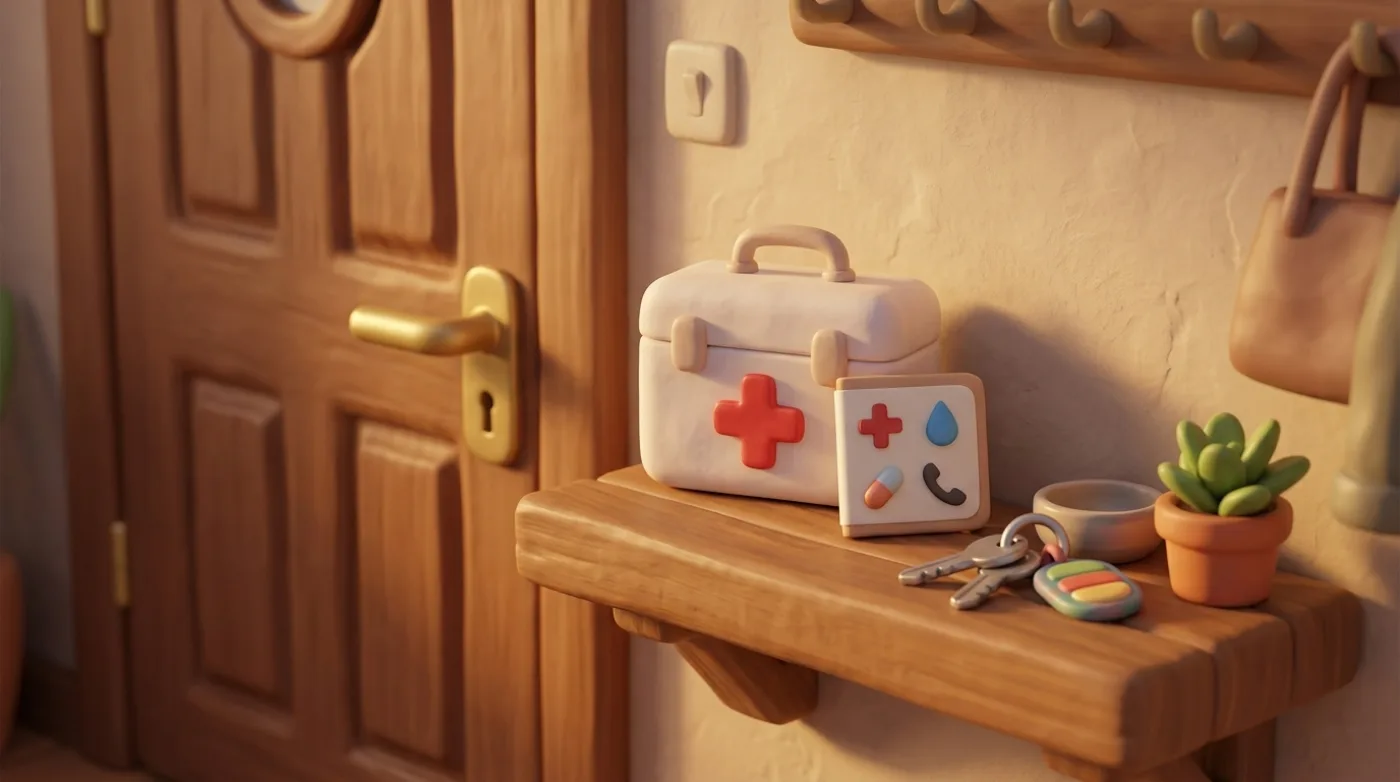
My suggestion for today: for each family member, write down three things: blood type, allergies, and current medications. That’s it. One index card. One note in your phone. One entry in whatever system you use.
That card alone answers 90% of what anyone asks in a hurry.
You don’t have to build the whole archive today. You don’t have to scan every document or track down every vaccination date. Start with the card that answers the triage nurse when your hands are shaking.
The next visit
The pediatrician’s office. A routine checkup — no urgency, no fever, no nervous sweat. The doctor looks up from the screen and asks: “When did he start the new medication?”
You pull up his record. “March 14th, 5 mg.”
The doctor nods. Writes something down. Moves on.
Four seconds. And you feel like a different person than the parent squinting at that creased vaccination card under the urgent care fluorescents.
Medical records are the most sensitive data your family holds. For me, where you store them isn’t a detail — it’s the whole point. End-to-end encryption means the records are yours to read and opaque to the company that stores them.
Pause
That’s what I build ParentOS for — a family organization app designed to reduce the mental load of parenting. A private place to keep each family member’s health profile, visit notes, results, and scanned documents, end-to-end encrypted on your device, so the answer is one calm glance away. To be precise: medication names, doses, and schedules are not end-to-end encrypted today, and the server still sees some metadata, such as dates, which family member a record belongs to, and file names.
ParentOS is an adaptive family operating system where your family’s data stays yours — privacy first, no ads, no selling your data. If you’re looking for a calmer way to organize family life — join the early access.
Not medical advice — for health decisions, consult a qualified clinician.
Frequently asked questions
What should a family medical record include? Keep one record per person with the same sections: basics (blood type, allergies, insurance, pharmacy), vaccinations with dates, current medications and doses, ongoing conditions, past procedures and surgeries, family history, and provider contacts.
How do I keep track of my kids’ vaccinations? Keep a vaccination section per child listing what was given and when, and photograph the physical vaccination card into that record. The CDC recommends keeping a personal immunization record stored with your other essential documents.
Where should I store sensitive medical records safely? In a place that’s reachable in a hurry but genuinely private. For data this sensitive, look for zero-knowledge or end-to-end encryption (E2EE), where the data is encrypted with a key only you hold so even the provider can’t read it — not a free app that profiles your data.
How often should I update our medical records? Update them the same day something happens — every appointment, new prescription, test, or vaccination. A health record is only useful if it’s current, and adding it while it’s fresh keeps it accurate.
Sources
Related articles
Calm families start with shared awareness.
Footnotes
-
Brands MR, Gouw SC, Beestrum M, Cronin RM, Fijnvandraat K, Badawy SM. Patient-Centered Digital Health Records and Their Effects on Health Outcomes: Systematic Review. Journal of Medical Internet Research, 2022. Review of 79 studies (1,489,756 participants) finding beneficial effects on healthcare utilization for recommended care services (77%), self-management (56%), treatment adherence (53%), and clinical outcomes. jmir.org ↩
-
Mayo Clinic. Personal health records and patient portals. On what a personal health record should contain — basics, medications, allergies, illnesses, procedures, ongoing conditions, family history, and vaccinations. mayoclinic.org. The recommendation to keep a personal immunization record with your essential documents is from the U.S. Centers for Disease Control and Prevention (CDC), Keeping Vaccine Records Up to Date. cdc.gov. ↩ ↩2
-
Säfholm S, Bondesson Å, Modig S. Medication errors in primary health care records; a cross-sectional study in Southern Sweden. BMC Family Practice, 2019. Found that 84% of medication lists used by general practitioners were not updated, with a mean of 3.8 medication errors per patient record. bmcprimcare.biomedcentral.com ↩