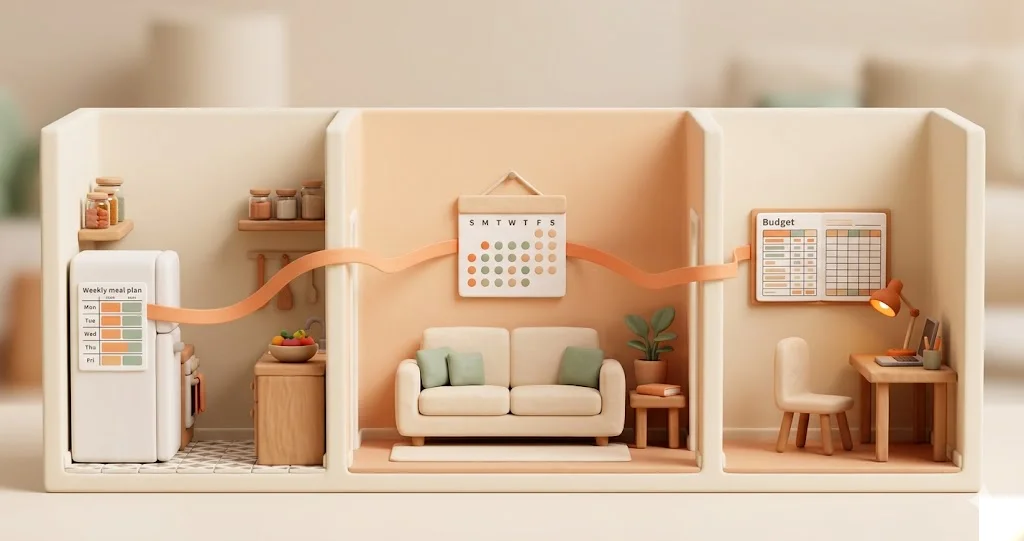
How to Organize Family Life? A Practical Guide for 2026
TL;DR: 5 weeks, 5 steps: (1) shared calendar, (2) meal plan 5+2, (3) chore map, (4) simple budget, (5) 15-minute Sunday check-in. One step per week. Not faster.
Organizing family life doesn’t require a revolution. It requires one shared calendar, a simple meal system, and an honest conversation about chores. In this guide, we’ve gathered proven methods — step by step, no pressure, at your own pace. As of February 2026.
Monday, 7:12 AM
You’re hunting for your kid’s gym shoes. You don’t know which pair. You don’t even know if today is gym day. From the kitchen: “Who was supposed to buy milk?” — and you can tell by the tone that “not me” isn’t going to fly.
Your daughter is standing in the doorway with a permission slip to sign. There’s a science quiz — she was supposed to study yesterday. Your coffee is going cold on the counter. You have a meeting in twenty minutes. Nobody knows what’s for dinner.
Your phone buzzes in your pocket. Third reminder from some app you installed three months ago and haven’t opened since.
Sound familiar?
Most families live like this. And most families assume everyone else has it figured out. That somewhere out there are those Instagram parents who have Monday morning fully planned, five days of meal prep done, and gym shoes by the door since Friday.
They don’t. Nobody lives like that. And if someone does — it’s not because they’re a “better parent.” It’s because they have a system. Simple, imperfect, but functional.
This article is about that system.
Before You Start: Two Permissions
Before you read any further, we want to tell you two things. Seriously.
Permission 1: You don’t have to organize everything.
You don’t need a system for meals, chores, budgeting, calendars, groceries, kids’ activities, and picking up packages — all at once. One area is enough. The one that’s causing you the most stress.
Permission 2: Your system doesn’t have to be perfect.
It just needs to be better than chaos. That’s it. You don’t need a color-coded calendar and an Excel spreadsheet with automatic formulas. A note on the fridge with three dinners for this week — that’s already a system.
If you don’t have the energy right now — close this article. Come back in a week. A month. It’s not going anywhere. It’ll be here waiting for you.
But if you’re still here — let’s begin. One step per week. Five weeks. No revolution.
Step 1 — A Shared Calendar (Week 1)
This is the foundation. Without a shared calendar, everything else is harder. “Who’s picking up the kids?” “When’s the dentist?” “Wait, that parent-teacher conference is today?” — these questions disappear when both parents are looking at the same calendar.
What This Looks Like in Practice
One digital calendar that both parents have access to. Not two separate ones. Not “I have mine on my phone and you have yours.” One. Shared.
You don’t need to enter everything right away. You don’t need to add your great-aunt’s birthday. Start with this week. What’s happening in the next seven days? Put it in.
The Rule That Changes Everything
If it’s not in the calendar — it doesn’t exist.
Sounds harsh? But this is the rule that eliminates 80% of the “who was supposed to…” arguments at home. Doctor’s appointment? Enter it. Gym day on Thursday? Enter it. School meet-and-greet? Enter it. You don’t have to remember — the calendar remembers for you.
Color-Code, But Keep It Simple
Two or three colors are plenty. Amber — non-negotiable (doctor’s visit, government deadline). Blue — flexible (groceries, cleaning). Green — free time. More colors = more chaos.
Which Tool?
- Google Calendar — free, reliable, works everywhere. Just share a calendar with your partner. Most families start here.
- TimeTree — a Japanese app built for shared calendars. A chat thread on every event. Free.
- Cozi — calendar + shopping lists + recipes. Free version with ads.
- ParentOS — a shared calendar with day states (calm / moderate / busy / full). Tracks energy and emotions — not just time. One glance at both parents’ entire day. End-to-end encryption. From $12.99/mo.
The most important thing: pick one and stick with it. The app you actually use beats the perfect app you never open.
Micro-Step for Today
Tonight — open any of these apps. Enter 3 events for this week. Share it with your partner. Done. Week 1 complete.
Step 2 — Stress-Free Meals (Week 2)
The question “what’s for dinner?” comes up in the average household about 1,500 times a year. Usually around 4:30 PM, when everyone is hungry, tired, and fresh out of ideas. And then you’re standing in front of an open fridge staring at mustard, half a cucumber, and two eggs.
It doesn’t have to be this way.
The 5+2 Method
Plan 5 dinners for Monday through Friday. Leave the weekend flexible — cook, order in, visit the grandparents, make pancakes, whatever.
Why not seven? Because planning seven meals a week feels like a job. Five feels like a list. Five is doable.
The Sunday Routine (15 Minutes)
Sunday evening, coffee or tea in hand, phone or a piece of paper.
- Review the week’s calendar — who’s eating at home when? Tuesday grandma is taking the kids? Cross it off. Thursday you’re home late? Your partner makes something simple.
- Write down 5 dinners — no need to invent new ones. Rotate your tried-and-true recipes. Spaghetti, chicken with rice, potato pancakes, soup, something from the oven.
- Make a shopping list — from those 5 recipes. Check the fridge. Done.
15 minutes on Sunday = zero stress at 4:30 PM from Monday to Friday.
A Base of 15 Recipes
You don’t need 200 recipes from Instagram. You need 15 proven ones that your family will eat without complaining. The ones you know by heart, that you can make in 30 minutes, that don’t require exotic ingredients.
Make a list. A piece of paper is fine. Write down 15 dinners you cook regularly. Number them. Then on Sunday — pick numbers 3, 7, 11, 2, and 14. Done.
Tools
- A note on the fridge — seriously. It works. Zero technology, zero distractions. A magnet, a pen, a list.
- Notion / Google Keep — if you prefer digital. A shared note with the week’s meals.
- ParentOS — a meal module integrated with the calendar and day states. You can see who’s home, who has a “full” day, and what’s already planned.
Two Important Things
You don’t have to cook from scratch. Frozen meals, store-bought sauces, takeout, a cheese sandwich for dinner — that’s all food too. Nobody gets an award for suffering in the kitchen.
And second: if you don’t have the energy to plan today — don’t plan. Order pizza. Tomorrow is a new day.
Micro-Step for This Week
This Sunday evening — sit down for 10 minutes. Plan 3 dinners for Monday through Wednesday. Just three. Make a shopping list. That’s it.
Step 3 — Household Chores Without Arguments (Week 3)
This is the point where sparks fly in many homes. “Why is it always me?” “But I take out the trash!” “You never…” — you know this conversation.
The problem isn’t that one partner is lazy. The problem is invisibility.
Mental Load — The Invisible Work
Mental load is work that nobody sees. It’s not doing the laundry — it’s remembering that the laundry needs to go in. It’s not a doctor’s appointment — it’s booking the appointment, remembering the date, preparing the health records, and reminding your partner.
Laundry is actually three separate tasks: putting it in the machine, hanging it up, and folding and putting it away. Most people see one thing — “laundry.” And then wonder why “the work never ends.”
Exercise: The Chore Map
Sit down together. Yes, both of you. Grab a large piece of paper and write down ALL the household tasks. Not just the obvious ones.
The visible ones:
- Cooking
- Dishes / loading the dishwasher
- Vacuuming
- Laundry (washing + hanging + folding)
- Grocery shopping
- Dropping off / picking up kids
And the invisible ones — that someone does, but nobody notices:
- Booking doctor, dentist, and eye appointments
- Remembering gym clothes, swim gear, costumes for school plays
- Buying birthday presents for your kids’ friends
- School communication — parent meetings, online gradebook, field trip permission slips
- Meal planning and grocery lists
- Tracking what’s running low at home (toilet paper, toothpaste, milk)
- Scheduling contractors — plumber, electrician, furnace inspection
The surprise: this list is usually twice as long as you’d expect. And typically one person handles 70% of the “invisible” column.
A Division That Works
Forget 50/50. It doesn’t work, because not every task is equally unpleasant. For one person, cooking is relaxation. For another, it’s punishment.
A better approach:
- Go through the list together.
- Each person marks the tasks they mind least. “I’d rather do dishes than vacuum.” “I’d rather drive the kids than do the groceries.”
- Whatever’s left — you rotate. One week you, one week me.
The key: both of you see the whole picture. Not just your own half.
Tools
- A note on the fridge — again. A simple table: who, what, when.
- Planado — a Polish app with gamification. Great if you have kids — it turns chores into a game with points and rewards. Free.
- Domownik — a Polish household management app. Simple interface.
- ParentOS — a task module with shared awareness and day states. Both parents see what needs doing, who’s doing it — and who has the energy to do it. Comparison of Polish family apps.
Micro-Step for This Weekend
This weekend — sit down together for 20 minutes. Write out 10 tasks — including 3 “invisible” ones. Who does what? Write it down. Put it on the fridge.
Step 4 — Family Budget Without Spreadsheets (Week 4)
Money is — right after household chores — the second most common source of tension at home. “Where did all the money go?” “Why is the account empty?” “Who bought…?”
You don’t have to track every penny. You don’t need a spreadsheet with formulas. You don’t have to be an accountant.
The 3 Envelopes Method
An approach as old as time, but effective. Three “envelopes” — physical or digital:
Envelope 1: Fixed Expenses Rent, utilities, loan payments, insurance, daycare, school fees. You know these in advance. Enter them once — you don’t need to think about them every month.
Envelope 2: Food A separate pool for groceries. A clear amount per week. When it runs out — you cook with what’s already in the house (and it usually turns out there’s more than you think).
Envelope 3: Everything Else Everything else — clothes, toys, movies, haircuts, gifts. When “everything else” runs out — spending stops for the month. Simple mechanism, zero guilt-tripping.
Shared Visibility
Both of you see how much is left in each “envelope.” This eliminates the “I didn’t know we’d already spent that much” situations. It’s not about controlling your partner. It’s about shared awareness — so you both know where you stand.
Tools
- A shared Google Sheet — free, simple, accessible from your phone. One tab per month.
- YNAB (You Need A Budget) — the best budgeting app in the world. Philosophy: “give every dollar a job.” $14.99/mo, but worth every cent.
- Wallet by BudgetBakers — popular in Europe, supports many European banks.
- ParentOS — a budget module integrated with the rest of the family system. Shared visibility, encrypted financial data. If you’re not paying, you’re the product — here, you pay for premium quality.
Micro-Step for This Week
This week — track spending only on food. Just food. Every grocery purchase — log the amount in a shared note. Add it up on Sunday. Now you know how much you spend on food per week. That’s your starting point.
Step 5 — The Weekly Check-In (Week 5+)
This is the glue that holds the whole system together. Without this step — the calendar will be forgotten after two weeks, meals will go back to “what’s for dinner at 4:30,” and chores will become invisible again.
15 Minutes on Sunday Evening
Not a “family meeting.” Not a “committee session.” Fifteen minutes with coffee or tea, after the kids are asleep (or parked in front of a tablet — no judgment).
What You Review
- The upcoming week’s calendar — what’s happening? Who has what? Any conflicts?
- Meals — what are you eating this week? Who’s doing the shopping?
- Chores — anything extra? Furnace inspection? School meeting? Doctor’s appointment?
- One question: “Is there anything I should know about?”
That last question is the most important one. It catches the things that one of you knows but the other doesn’t. A birthday present for a friend. A payment deadline for a field trip. A schedule change at daycare.
Why This Works
Because it transforms individual memory into shared awareness. Nobody has to carry everything alone in their head. Fifteen minutes of planning saves hours of stress during the week.
Sounds basic? It is basic. And that’s exactly why it works. You don’t need a project management app. You need 15 minutes of conversation.
Micro-Step
This Sunday — sit down for 15 minutes after dinner. Review the calendar for next week. Ask: “Is there anything I should know about?” Done. Your first check-in is behind you.
Checklist: Organize Your Family in 5 Weeks
Print it, stick it on the fridge, check things off. Pace: one step per week. Not faster.
- Week 1: Shared calendar — pick an app, enter 3 events, share with your partner
- Week 2: Meal planning — plan 5 dinners for Mon-Fri, make a shopping list
- Week 3: Household chores — write down ALL of them (including invisible ones), divide them, put the list on the fridge
- Week 4: Budget — one week of tracking food spending, add it up on Sunday
- Week 5: First Sunday check-in — 15 minutes, calendar + meals + one question
After five weeks, you have a foundation. Not perfect. Not Instagram-worthy. But functional.
And then? Repeat. Week after week. The system reinforces itself. You both know what’s happening. Nobody has to carry everything in their head.
Frequently Asked Questions
How do I start organizing family life?
Start with one thing: a shared calendar. Pick any app — Google Calendar, Cozi, or ParentOS — add the most important events for this week, and share it with your partner.
Don’t try to organize everything at once. One new habit per week — that’s a realistic pace. Week one: calendar. Week two: meals. Week three: chores. Step by step. There’s no rush — it’s better to implement one thing well than five things poorly.
How do you divide household chores fairly?
Instead of splitting 50/50 (which rarely works in practice, because not every task carries the same weight), sit down together and write out ALL your household tasks — including the invisible ones. Booking doctor’s appointments. Remembering gym clothes. Buying birthday presents for your kids’ friends.
Then each person picks the tasks they mind least. Rotate the rest — one week you, one week me.
The key: both of you need to see the full picture, not just your own part. Most arguments about chores don’t come from bad intentions — they come from one person not seeing how much the other does.
What’s the best app for family organization?
As of February 2026, it depends on your needs.
- For a shared calendar: Google Calendar (free) or TimeTree (free, chat on events)
- For household chores with kids: Planado (Polish, free, gamification) or OurHome
- For budgeting: YNAB ($14.99/mo, best budgeting philosophy)
- For an all-in-one + day states: ParentOS ($12.99/mo, tracks family energy + calendar + meals + budget + tasks + health + E2EE)
The most important thing: pick one and stick with it. The app you actually use beats the perfect app you never open.
For a detailed comparison of 10 family apps, check out our ranking of family organization apps for 2026.
How do you plan meals for the week?
The 5+2 method: plan 5 meals for Monday through Friday, leave the weekend flexible.
Sunday evening (15 minutes):
- Review the week’s calendar — check who’s eating at home when
- Write down 5 dinners — rotate from your base of 15 proven recipes
- Make a shopping list from those 5 recipes — check the fridge, subtract what you already have
Done. No more stress at 4:30 PM on Monday. And if you don’t have the energy to cook on Wednesday — order takeout. A plan isn’t a sentence. It’s a starting point.
Sources
- Google Calendar — shared family calendars: calendar.google.com
- Cozi Family Organizer: cozi.com
- TimeTree — shared calendar with chat: timetreeapp.com
- Planado — Polish household chores app: planado.pl
- Domownik — household management app: domownik.app
- YNAB (You Need A Budget): ynab.com
- Emma Robertson, “Mental Load and the Invisible Work of Families” — Harvard Business Review, 2024
- Darcy Lockman, “All the Rage: Mothers, Fathers, and the Myth of Equal Partnership” — Harper, 2019
- ParentOS — adaptive operating system for families: parentos.ai
Read next: Ranking of the 10 Best Family Apps 2026 | Planado vs Domownik vs ParentOS | What Is a Family Operating System?
Calm families don’t have perfect systems. They have systems that work.